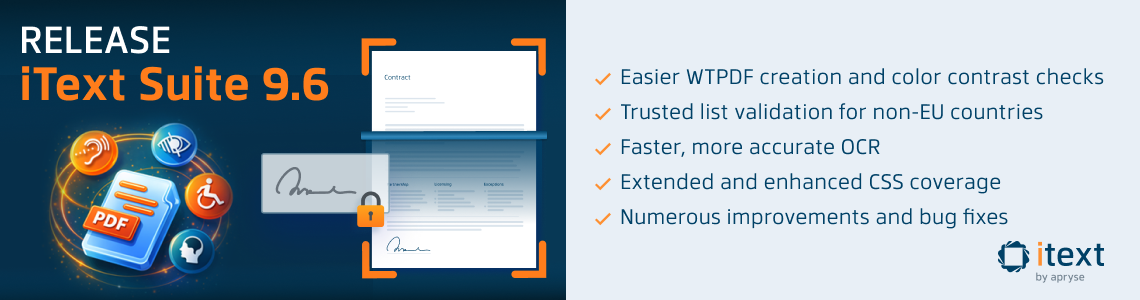
Spring is here once again, and so is the latest release of iText by Apryse. For version 9.6.0 of iText Core there are key enhancements for creating accessible and reusable PDF content meeting the PDF/UA and Well-Tagged PDF (WTPDF) standards. We’ve integrated automatic PDF/UA color contrast checks during PDF/UA creation, and introduced easier ways to create WTPDF documents targeting either the accessibility or reuse conformance levels.
The other big news for this release is pdfOCR 5.0.0. This really does deserve a major version release number, as it expands and enhances pdfOCR’s ML-based OCR engine with pre-trained PaddleOCR and EasyOCR ONNX model support. These models are not only highly accurate, but are also available for more languages are than the docTR ones previously supported. Not only that, but this release also brings huge performance improvements and allows GPU acceleration to be enabled for even faster detection and recognition.
As always, you’ll find full details on all new features, improvements, and bug fixes in the release notes for iText Core and its add-ons in our Knowledge Base.
iText Core 9.6.0
WCAG Color Contrast Checks for PDF/UA
For documents to comply with the PDF/UA specifications, you must ensure that foreground and background colors meet the necessary WCAG standards for accessibility. If there is not enough contrast then not only will documents fail in accessibility checkers, text and graphical content will be difficult to read.
Color contrast checking is something that still requires human intervention in most cases, however, iText Core can now warn you if such issues are detected during document creation.
This functionality is similar to that provided by the WebAIM Contrast Checker, where you can select different values for the foreground and background colors. For WCAG 2.1 level AA which is commonly specified in accessibility regulations, normal text must have a contrast ratio of at least 4.5:1, and 3:1 for large text, graphics, and user interface components (such as form input borders).
It should be noted that this is not a comprehensive check and cannot substitute for an actual “human in the loop”. However, it will help to identify and avoid obvious issues at an early stage.
Easier WTPDF Creation
WTPDF (Well‑Tagged PDF) is a conformance standard defining levels for accessibility and content reuse. Based on PDF 2.0, its accessibility requirements match PDF/UA‑2, ensuring documents meet the same user‑focused standards.
Additionally, WTPDF specifies reuse requirements for:
- structured tagging and metadata to improve reliable extraction,
- reflow and machine‑driven transformation so content can be repurposed accurately across systems.
WTPDF has been supported since iText 8, but API improvements now mean creating WTPDF documents with iText is just as easy as PDF/A and PDF/UA, iText handles everything, so developers don’t need to remember which requirements apply to the targeted conformance level.
Non-EU Trusted List Validation
Building on the List of Trusted Lists (LOTL) support introduced in the iText Suite 9.3 release, iText Core 9.6.0 adds an alternative path for ecosystems that publish one XML trust list (no LOTL pointers).
This was achieved by adding a convenient “single file trust list” alternative implementation, useful for countries where you have a single XML trust list rather than an EU-style LOTL + pointers ecosystem.
Updated LOTL Trusted Certificates
Speaking of the EU LOTL, the European Parliament has published a new set of trusted certificates used for validation. If you're currently using iText's EU LOTL validation and rely on our public repository to access the list of certificates, you will need to update the eu-trusted-lists-resources dependency to version 1.1 before the transition period ends on 28th April.
If this dependency is not updated, throughout the transition period iText will display log messages to alert you that the resources are outdated.
Improved Digital Signature Validation and Certificate Retrieval
For digital signature validation we’ve introduced a single, configurable mechanism to control all online data retrieval (such as CRL, OCSP, issuing certificates, and LOTL), making it easier to enforce network policies and increase reliability in restricted environments.
Certificate chain building and validation have been updated to better handle complex PKI setups. Chain construction now collects all reachable certificates, including multiple CA candidates and cross-signed certificates, without enforcing constraints during the building phase.
Validation then applies RFC 5280–compliant checks over the resulting paths, with a particular focus on correctly enforcing inherited name constraints across the entire certificate chain. This separation of chain discovery and validation improves robustness and correctness when working with real‑world certificate hierarchies.
Bug Fixes and Miscellaneous Improvements
We also resolved a few customer and internally-reported issues. The MemoryLimitsAwareHandler (Java/.NET) which protects applications from using too much memory when reading or processing PDF content was modified to have different behavior when creating xref tables rather than updating them. The documentation has been updated to reflect these changes.
We fixed an issue where certain Type3 fonts are processed incorrectly, causing multiple glyphs that share the same Unicode mapping to render with incorrect or duplicated content streams. This resulted in missing or wrong glyph appearances when using or extracting the font.
A regression was reported where signing a PDF removed the /DA (default appearance) entry from signature fields, triggering change warnings in Acrobat and affecting re-signing. The fix ensures the DA entry remains untouched during signing to preserve appearance and avoid Acrobat warnings.
An issue was fixed when copying pages from certain PDF/A-converted documents whose outline/action dictionaries were altered (using /Dest instead of /A), leading to a PdfException error reporting an object belonged to a different PDF. Another PDF/A-related fix prevents null pointer exceptions during PDF/A compliance checks by ensuring the content-stream validation parser is given the correct resource dictionary.
Error handling was improved in a few other cases too. For example, iText now throws a clear, specific error when a PDF annotation is missing its required subType property, instead of failing with a generic null pointer exception. A generic null reference exception when merging certain PDFs was replaced by clearer error reporting when input PDFs have syntax issues, making it easier to identify where the problem lies.
For .NET, we resolved an issue where older versions of the Newtonsoft.Json transitive dependency could be pulled for .NET Framework 4.6.1, causing security tools to flag as vulnerable to CVE-2024-21907 due to outdated dependencies. This has been resolved by updating the Microsoft.Extensions.DependencyModel to 10.0.2. This did not apply to .NET Standard 2.0, where since iText Core 9.2.0 we switched to use System.Text.Json instead.NET Standard 2.0, where since iText Core 9.2.0 we switched to use System.Text.Json instead.
pdfHTML 6.3.2
An issue was resolved with inconsistent handling of inline elements when converting HTML tables with the page-break-inside: avoid CSS property. In addition, we fixed two occurrences of NullPointerException errors when converting ordered lists.
A bug caused by an interaction problem between the behavior of the layout renderers was resolved, which could result in specific layout issues causing an infinite layout loop. We also fixed a font size bug, and a regression with Japanese charset detection.
pdfOCR 5.0.0
In a perfect world, every PDF document would be tagged and accessible. In this imperfect world though, OCR can make content in many existing PDFs accessible and reusable .
We first introduced AI-powered OCR by supporting models trained for the doctTR engine after performing extensive research on the best-performing open-source machine learning-based OCR engines.
In this latest release of pdfOCR, the ML-based ONNX OCR engine is extended to include support for PaddleOCR and EasyOCR models, adding to the docTR models already supported. In our ongoing OCR tests, these models perform extremely well over a wide range of use cases and have extensive language support.
PaddleOCR/EasyOCR Model Support
PaddleOCR first appeared towards the end of 2020 as an ultra-lightweight OCR system from the Baidu-backed PaddlePaddle ecosystem. However, it gained momentum with the release of v2.0 in 2021 and multilingual models (including English) becoming available, which showed promising results. The current releases have further improved results and capabilities, with optimized inferencing and over 100 languages currently supported.
It’s particularly strong in structured document handling and memory efficiency, with many enterprise-level features. No wonder it has over 60,000 stars on GitHub!
As its name suggests, EasyOCR is a more beginner-friendly OCR solution. Compared to the ultra-configurable PaddleOCR it has less options, though it still performs well as a multilingual OCR system that is easy to get up and running quickly. It supports over 80 languages, and almost 30,000 GitHub stars should not be discounted.
We are now maintaining a HuggingFace repository where you can download many compatible models to get started quickly. You’re free to experiment with alternative models, though some models will need to be converted to the ONNX format to work with pdfOCR’s ONNX engine.
The PaddleOCR documentation has details on converting PaddleOCR models to ONNX format, however, EasyOCR does not provide official documentation on converting models.
GPU Acceleration
Beyond just new model support, there are many other improvements in this release. Optional GPU acceleration is also now enabled for pdfOCR’s ONNX engine, which not only lets the CPU handle other tasks but can also result in major performance gains.
ONNX Runtime supports multiple execution providers for hardware acceleration, although not all are ready for production. At present, we have only tested pdfOCR using Nvidia CUDA-enabled GPUs, so you should refer to OnnxRuntime’s official docs on execution providers for other hardware.
General OCR Improvements
Another nice change is we've significantly improved how pdfOCR positions recognized text boxes for rotated content. This allows pdfOCR to better match the original orientation and placement of text, including small-angle rotations (not only 0°, 90°, 180°, 270° as previously).
Additionally, support for retrieving OCR text bounding rectangles in image pixel coordinates rather than PDF coordinate space has been added, removing the need for manual conversion when working at the image level.
Huge .NET Performance Gains
For .NET, the performance of the ONNX engine is massively improved thanks to some clever optimizations. Most significantly, a wrapper for Java’s FloatBuffer class was created to prevent the copying of huge float data arrays for models. Additional improvements to general image handling and processing brought some nice wins, resulting in blazing-fast performance on both Java and .NET.
Breaking Changes
Since this is a major version release, you can expect some breaking changes. The most important change is to split up and rename the module for pdfOCR’s ONNX engine.
Since we now support more than simply docTR ONNX models, the pdf-ocr-onnxtr package has been renamed and split into pdf-ocr-onnx-abstract and pdfocr-onnx-cpu. This change also accommodates for GPU acceleration using the onnxruntime_gpu package.
See the breaking changes for details on the differences from previous releases of pdfOCR.
pdfXFA 5.0.6
For this release, a customer-reported bug was fixed where a rare infinite loop when laying out certain large text fields across multiple pages could occur.
Patch Releases for Compatibility
pdfCalligraph 5.0.6
Patch release to maintain compatibility with iText Core 9.6.0 dependencies.
pdfOptimizer 4.1.3
Patch release to maintain compatibility with iText Core 9.6.0 dependencies.
pdfSweep 5.0.6
Patch release to maintain compatibility with iText Core 9.6.0 dependencies.
Pull Requests
For this release we’d like to thank schallb for their contribution to improve LocationTextExtractionStrategy (Java/.NET) by adding support for custom element and newline separators.
As the author describes, they needed a way to better distinguish between spaces and newlines that are part of the extracted text, and the separators inserted by iText when it decides a word boundary or new line between chunks exists. Thanks to this change, the separators inserted in the formatted extracted text can be overridden.
Showcase PDF
As always, we’ve made the iText Core release notes into a PDF document generated with the help of the pdfHTML add-on. This document demonstrates several iText capabilities in addition to HTML conversion, including digital signing, MAC protection, SVG rendering, layout features, font optimizations, and more.
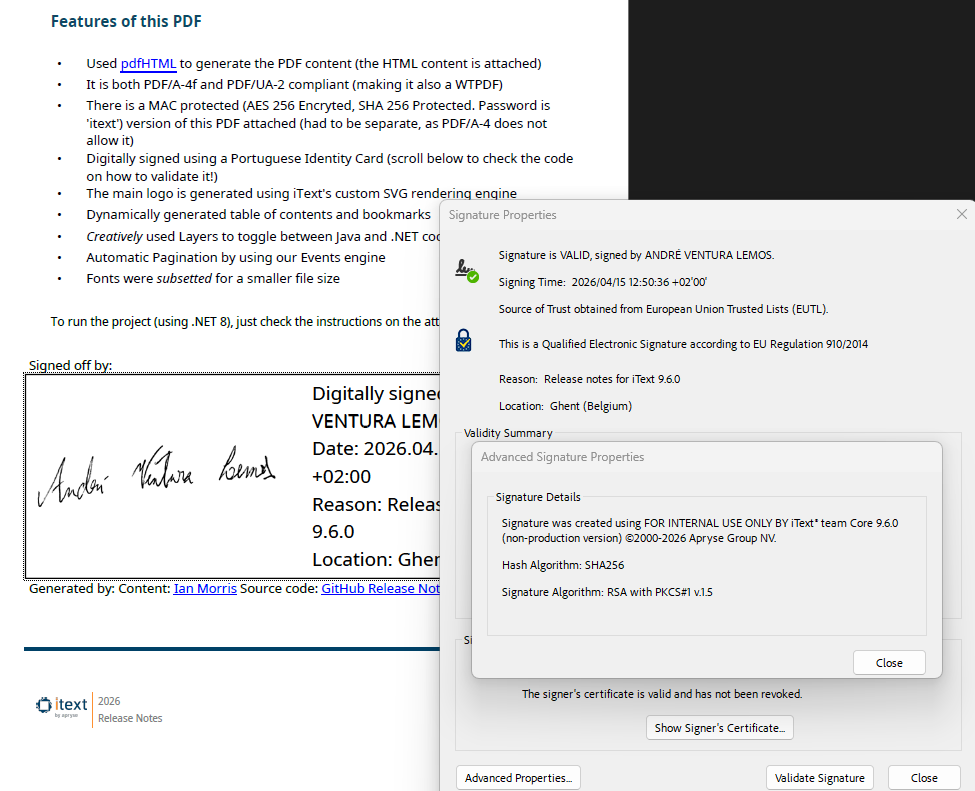
Naturally, for this release we've utilized the improvements for WTPDF creation to ensure it meets the requirements for both the accessibility and reuse conformance levels. In addition, it is also compliant with the latest PDF/UA-2 standard for accessible PDF documents, as well as the PDF/A-4F archiving standard.
You can find the source code and resources we used to create it embedded in the document. Alternatively, we have a public repository where you can find an example .NET project to automatically generate accessible PDF documents from suitable web pages, applying the correct fonts, injecting custom content, generating a table of contents, and more.
Have fun!
Get Started with iText Suite 9.6
If you’re completely new to iText, we highly recommend our free 30-day trial. This lets you try out the entire iText Suite: so not just iText Core, but also all our open and closed source add-ons, completely free.
And because the trial is covered by the terms of our commercial license, you can rest assured your intellectual property is safe. The AGPLv3 conditions do not apply to commercial license holders, so your code can remain closed-source if that is a concern for you.