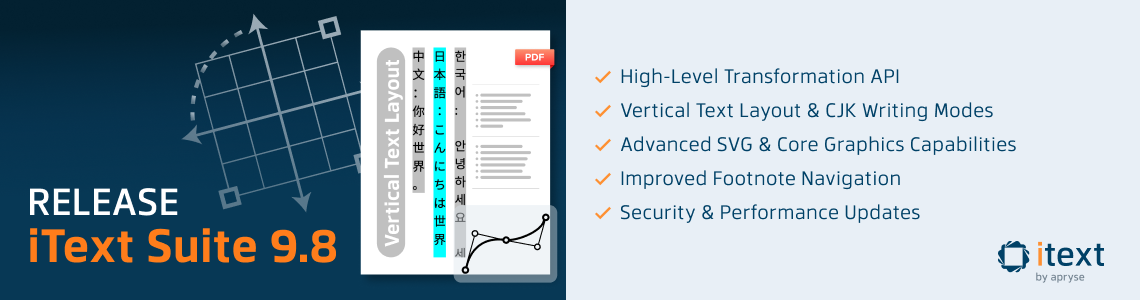
We're pleased to announce iText Suite 9.8, our Autumn (or Fall, to our friends across the Pond) 2026 release. The headline for iText Core 9.8.0 is two additions to the layout engine: support for vertical writing modes, and a simpler way to rotate, scale and skew page elements.
That's by no means all, though. SVG support gets richer too, with radial gradients, masks and advanced stroke styling. Elsewhere in the suite, pdfHTML picks up the new vertical writing support from Core, and pdfSweep now makes sure that redaction also removes hidden text stored for screen readers in tagged PDFs.
One more thing sits outside the iText Suite itself: we've released a free Markdown-to-PDF GitHub Action so the open-source community can produce accessible PDF/UA-2 documents straight from their repositories.
As always, you'll find full details on all new features, improvements and bug fixes in the release notes for iText Core and its add-ons in our Knowledge Base. Let's get into it!
iText Core 9.8.0
Vertical text layout and CJK writing modes
With this release we're expanding iText's global reach by adding vertical text and CJK writing modes to the layout engine. Vertical writing is still widely used in Japanese, Chinese (especially Traditional Chinese) and Korean: in books and newspapers, formal and legal documents, certificates, menus and signage, and of course manga.
Organizations producing documents for these markets can now generate them natively with iText, instead of finding workarounds or inserting images of correctly oriented text.
Vertical text involves a lot more than rotating a block of horizontal text. Lines run top to bottom, columns progress from right to left, and characters are positioned upright along the vertical axis. Rather than relying on viewer-dependent font vertical modes, iText's layout engine positions each character explicitly following the Unicode vertical text standard (UAX #50) with upright orientation. The result renders consistently across PDF viewers.
Because this is built into the layout engine rather than bolted on as a text-placement feature, vertical text works inside tables, flex containers and inline blocks, and respects overflow, alignment, spacing and text decorations. That's the hard part, and is usually left to the developer to find workarounds. Now, iText makes it easy.
It’s important to note this is initial support, and the focus for this release was supporting text-orientation: upright. However, the API is finalized, so we can build upon our implementation in upcoming releases.
And as you might expect given iText's focus on accessible documents, vertical text is fully tagged, so it remains readable by assistive technology.
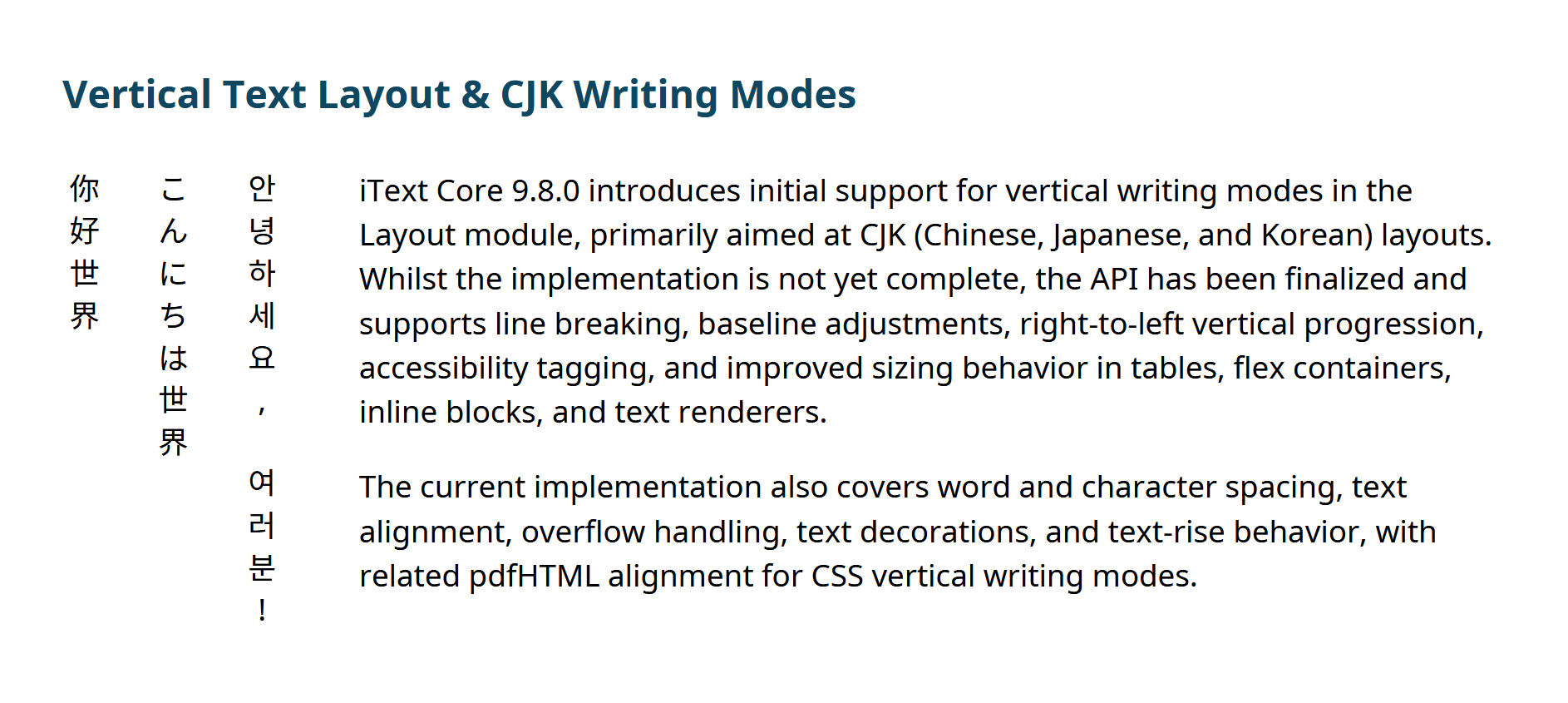
The above image shows a simple example of vertical CJK text from our latest Showcase PDF created for this release. By the way, if you work with HTML templates, see the pdfHTML section below for the CSS side of this feature.
Advanced SVG and graphics
Logos, charts, and branded artwork supplied as SVG should now look more the way their designers intended. This release adds:
- Radial gradients: the circular color blends you'll find in many modern logos and UI artwork, now supported across SVG, Kernel and Layout.
- Masks: shapes that fade or reveal parts of an image are preserved, using PDF soft masks.
- Stroke styling: line ends, corners and joins (
stroke-linecap,stroke-linejoinandstroke-miterlimit) are respected, giving crisper and more accurate line art and diagrams.
There are also fixes for nested clipping paths. Taken together, these changes mean fewer reasons to fall back to rasterizing graphics, so your PDFs stay sharp, scalable and searchable.
Easier transformations in the layout engine
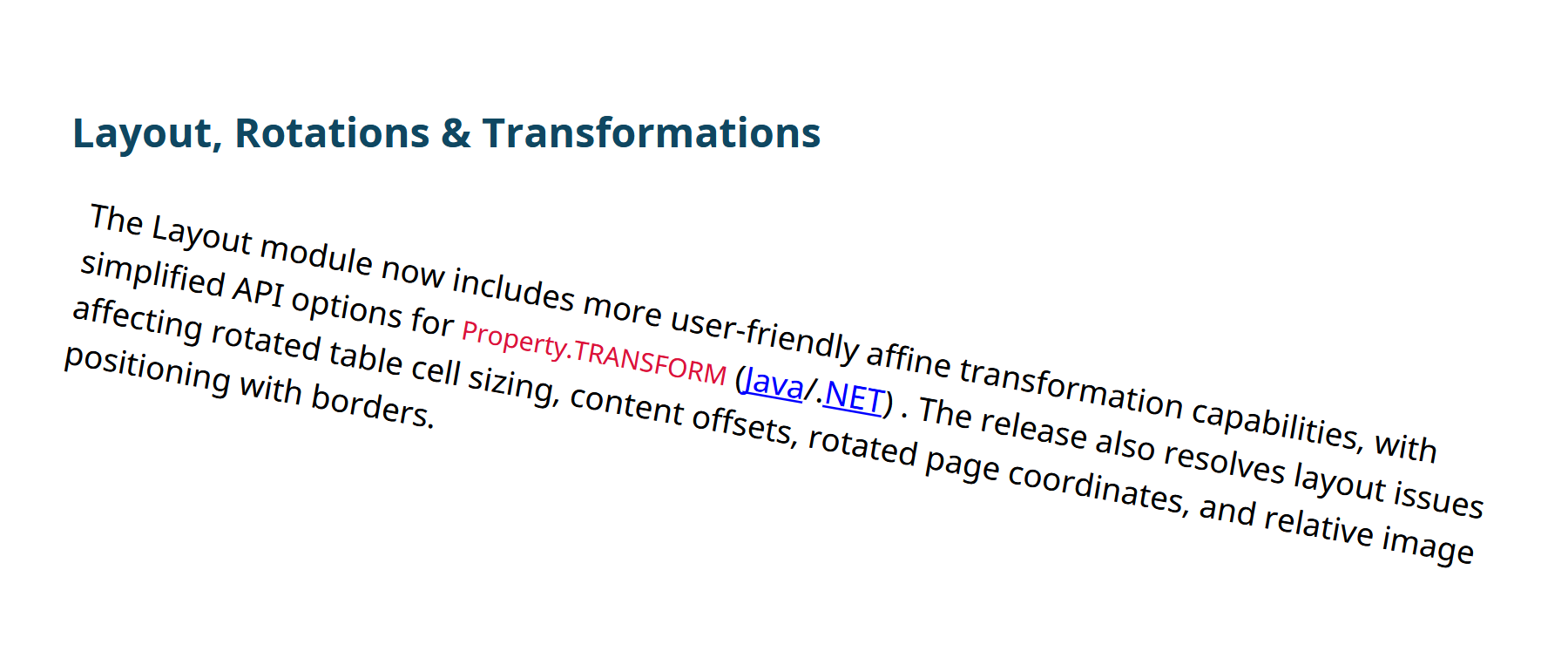
Rotating, scaling and skewing layout elements is now much simpler to express, with more user-friendly options for Property.TRANSFORM (Java/.NET). We've also fixed several issues with rotated table cells, content offsets and rotated page coordinates, so rotated content ends up where you expect it.
Clickable footnotes in both directions
In iText Suite 9.7 we introduced dynamic page margins and footnotes. This release makes those footnotes easier to use in digital documents: readers can click a footnote marker to jump to the note, then click the note to jump straight back to where they were reading.
That's a small change with a big payoff for long-form, legal, academic and technical documents, and a usability win for anyone reading on screen. Footnote anchors can also be styled, and numbering is now more reliable when footers and page breaks are involved.
Security, stability and platform support
Keeping your software supply chain current matters as much as new features. iText Core 9.8.0 updates several cryptographic and utility dependencies, including Bouncy Castle (both the standard and FIPS libraries), Jackson Databind, Apache HttpClient and Logback, and fixes how initialization vectors are generated for encryption. We recommend upgrading to pick up these security updates.
On the platform side, this release improves compatibility with .NET 10 and GraalVM JDK 24/25. We've also replaced some legacy fonts bundled with iText with clearly licensed equivalents, which should be welcome news for anyone whose legal or compliance team reviews third-party licenses.
Bug fixes and miscellaneous improvements
A few fixes worth highlighting:
- We restored font caching for the standard 14 PDF fonts during text extraction, fixing a performance regression.
- Malformed files containing circular references between form XObjects could cause a stack overflow. iText now detects and guards against this.
- Digital signature validation was over-counting document revisions in some cases, which has been corrected. If you work with signatures, our Digital Signatures Hub has plenty of resources and examples.
- PDF/A validation now handles pages with multiple content streams correctly, and glyph validation is more accurate for substituted glyphs without Unicode mappings.
You'll find the complete list in the release notes.
Markdown to PDF GitHub Action
Markdown has been around for over twenty years, but it's having a moment. Google recently added native Markdown support to Docs and Drive, with Google's Chandu Thota noting that Markdown "has become the common language between humans and AI agents." But while Markdown is a great way to write content, PDF remains the format of choice for sharing, archiving and making documents accessible to everyone. That's the gap our new GitHub Action is designed to bridge.
itext-markdown2pdf is now available free of charge on the GitHub Marketplace. It converts Markdown in public repositories into accessible, standards-compliant PDF/UA-2 (and WTPDF) documents automatically, as part of your CI/CD workflow. READMEs, documentation and changelogs can all be published as accessible PDFs every time you push a change, and thanks to the SVG improvements in this release, diagrams in your Markdown render well too.
Accessibility is important to us, and we've worked hard to make creating accessible documents simpler. We built this action as a gift to the open-source community: partly to give something back, and partly to help popularize PDF/UA-2 as the latest standard for accessible PDF.
PDF/UA-2 and WTPDF are both built on PDF 2.0 (ISO 32000-2), the latest version of the PDF specification. As a member of the PDF Association, Apryse is proud to be one of the sponsors, alongside Adobe and Foxit, that make ISO 32000-2 available to everyone at no cost. The free bundle also includes the related technical specifications ISO TS 32001, 32002, 32003 and 32004, covering hash algorithms, digital signature extensions, AES-GCM encryption and integrity protection. Like the markdown2pdf action, it's about making open standards easier for everyone to adopt.
We'd love you to try the action for yourselves. You'll find the code in the source repository, and we welcome your feedback and suggestions for improvements.
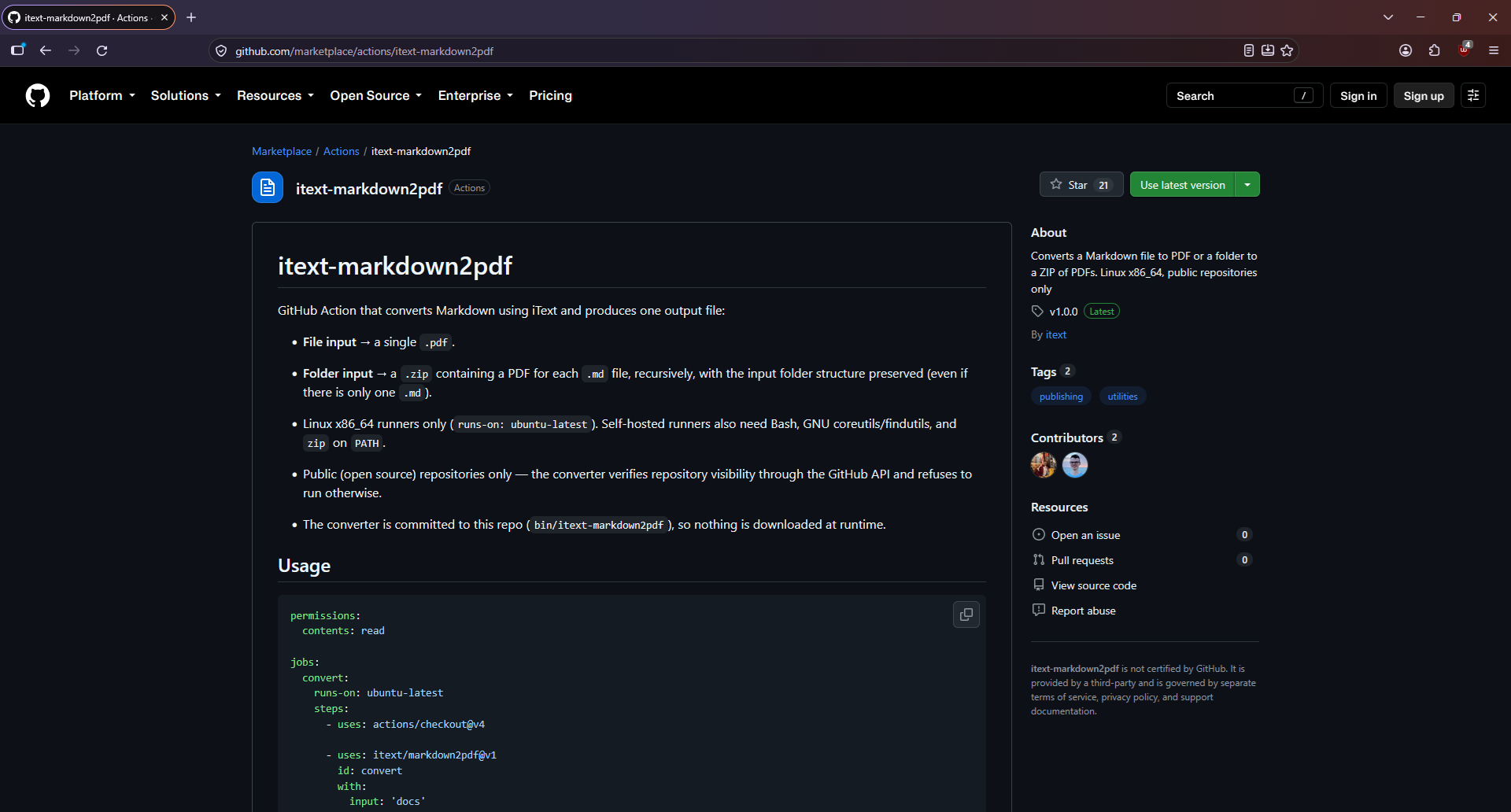
As a nice example of “eating our own dogfood”, you’ll find an extra attachment for the iText Core 9.8.0 release notes for this release. This is an accessible PDF generated from the iText Core README on GitHub, just to give you a taster of what you get.
pdfHTML 6.3.4
pdfHTML builds on the new vertical text support in Core, so HTML templates can now produce vertical CJK text using standard CSS: writing-mode: vertical-rl or writing-mode: vertical-lr, combined with text-orientation: upright. For this initial release, upright orientation is the supported path; sideways or mixed-orientation vertical text is not yet covered. That brings PDF output closer to what you see in the browser, while giving teams a clearer route to reuse HTML templates for East Asian markets.
We've backed this with an extensive test suite covering CJK fonts, spacing, alignment, floats, images and mixed font sizes, along with extreme values and edge cases to guard against conversion failures. As with Core, this is initial support, and we'll keep extending it in future releases.
This release also handles language attributes more consistently when converting partial HTML to PDF/UA, so empty lang values no longer cause problems.
pdfSweep 5.0.8
This release fixes a customer-reported issue that anyone redacting accessible documents should know about.
Tagged PDFs can contain text that isn't visible on the page: alternate descriptions and replacement text that screen readers use to describe content. Previously, pdfSweep removed the visible text and graphics from redacted areas, but could leave this hidden text behind in the document structure, where it could still be found or copied.
In pdfSweep 5.0.8, alternate and replacement text in redacted areas is now cleaned up as well, including text defined at higher levels of the document structure. Visual and structural redaction are now fully in sync, so confidential content can't be recovered from the tags.
If you redact tagged or accessible PDFs, for example in legal, government, healthcare or financial workflows, we strongly recommend upgrading.
Patch Releases for Compatibility
pdfCalligraph 5.1.1
Internal quality improvements, including expanded test coverage for Myanmar typography and replacement of test fonts with open-source alternatives.
pdfOCR 5.0.2
Patch release to maintain compatibility with iText Core 9.8.0 dependencies.
pdfOptimizer 4.1.5
Patch release to maintain compatibility with iText Core 9.8.0 dependencies.
pdfXFA 5.0.8
Patch release to maintain compatibility with iText Core 9.8.0 dependencies. If you work with XFA forms, you may also find our article on how to modify XFA documents before flattening useful.
Pull Requests
We'd like to thank netliomax25-code once again, who contributed a fix to improve CSS ~= attribute selector matching in pdfHTML and styled-xml-parser, by properly escaping selector values before pattern matching. This is their second contribution in a row, following their PDF/UA security hardening from our previous release.
As always, many thanks to our contributors!
iText 8.0 End of Life
A reminder that iText 8.0 reaches end of life this month. iText 7.1 reached end of life in April 2025, and iText 7.2 in October 2025.
End of life means these versions move into maintenance mode and will only receive security patches. As with iText 5, we'll continue to support our commercial customers on these versions. If you're still on iText 8 or earlier, now is a good time to plan your upgrade to iText 9. See the CVEs page for security-related information.
Showcase PDF
As always, we've made the iText Core release notes into a PDF document generated with the help of the pdfHTML add-on. It conforms to the latest PDF/UA-2 standard for accessible PDF documents, the PDF/A-4F archiving standard, and both the WTPDF accessibility and reuse conformance levels. It's also digitally signed.
For this release, the showcase PDF demonstrates both the vertical text and easier transformation in the layout engine. You’ll also find a Java and C# example showing how to render text using VerticalParagraph (switchable via layers).
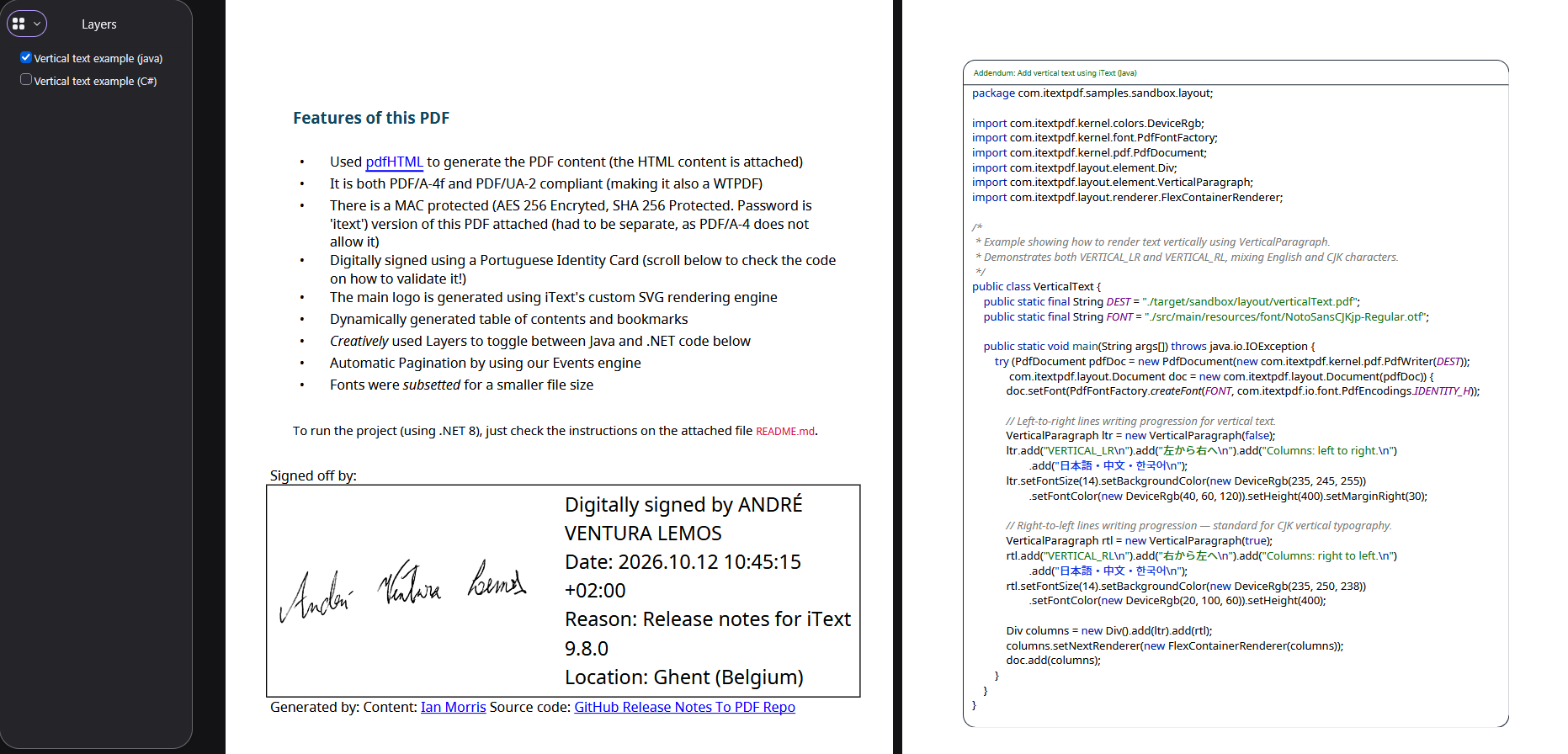
You can find the source code and resources we used to create it embedded in the document. Alternatively, we have a public repository where you can find an example .NET project to automatically generate accessible PDF documents from suitable web pages, applying the correct fonts, injecting custom content, generating a table of contents, and more.
Have fun!
Get Started with iText Suite 9.8
If you're completely new to iText, we highly recommend our free 30-day trial. This lets you try out the entire iText Suite: so not just iText Core, but also all our open and closed source add-ons, completely free.
And because the trial is covered by the terms of our commercial license, you can rest assured your intellectual property is safe. The AGPLv3 conditions do not apply to commercial license holders, so your code can remain closed-source if that is a concern for you.